
Deploying a multi-tenant booking SaaS: what a real customer actually needs
A customer said yes, and asked what they need to install. Nothing — which turns one question into two: deploy the platform once, then onboard them through the product. This is the whole path, including the three failed deploys and the CERT-Bund report that reordered the steps.
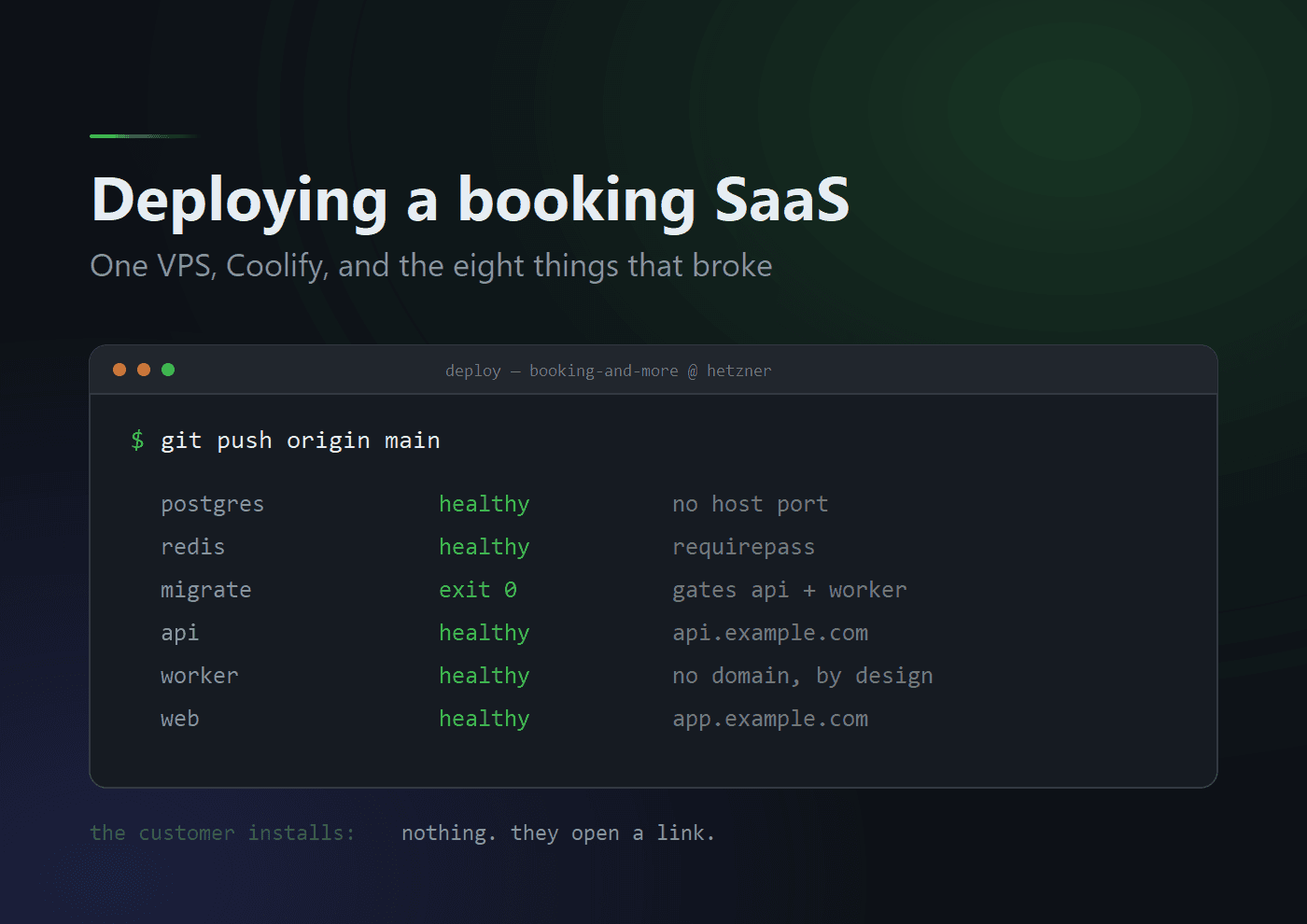
A customer said yes. They want to take bookings through the thing I have been building for months. So: what do they install?
Nothing. That is the whole answer, and it is worth starting there because it reframes the question I was actually asked.
This is multi-tenant SaaS. The customer does not get a copy. They get a row in a database, a slug, a login, and a URL they can put on their own website. Everything that could be called "installation" happens once, on my infrastructure, before any customer exists.
So there are really two questions wearing one coat:
1. How do I deploy the platform?        once, ~2 hours, this is the hard part
2. How do I onboard a customer onto it? per customer, ~15 minutes, through the product
Both are below. The first half is a Hetzner VPS, Coolify, and one compose file. The second half is a screen in the admin area and an email. The stack is live now; getting there took three failed deployments and one report from a national CERT, and I have written down all of it rather than the clean version.
What is actually being deployed
Six services on one host, behind Coolify's bundled Traefik:
                    Internet
                       │
                 ┌─────┴─────┐   Traefik, TLS from Let's Encrypt
                 │   proxy   │
                 └──┬─────┬──┘
        app.example.com   api.example.com
                 │        │
            ┌────▼───┐ ┌──▼─────┐   ┌────────┐
            │  web   │ │  api   │   │ worker │   no domain, answers nothing
            │  :3000 │ │  :3001 │   │        │
            └────────┘ └───┬────┘   └───┬────┘
                           │            │
                   ┌───────▼────────────▼───────┐
                   │  postgres:18    redis:8     │   internal only, no host ports
                   └─────────────────────────────┘

            migrate  ─ runs once per deploy, exits 0, gates api and worker
Next.js for the app, Fastify for the API, a BullMQ worker for everything that must happen without a browser waiting — emails, reminders, the outbox dispatcher, Stripe events. PostgreSQL and Redis behind them.
It is deliberately the smallest topology that is not a toy. Everything is on one machine, which means one machine to lose. What it buys is that a deploy is one git push, and the entire production topology is one reviewed file in the repository instead of a folk memory about what somebody clicked in a console.
Four properties of that file are load-bearing, and I want them stated before the walkthrough, because three of the four are things I got wrong first:
Nothing publishes a host port. expose: only. A ports: entry in a Coolify stack binds to the VPS's public IP outside the proxy — unrouted, un-TLS'd, unauthenticated. That is not a theoretical objection; see the CERT-Bund section below.
The browser talks to the API, not the web container. The API client is a "use client" module, so every API call originates in the user's browser. The web container never needs to reach the API host, which is why web does not depends_on: api and keeps serving pages while the API restarts.
The migration runs from an image built from the same commit as the code. migrate is built from the API's Dockerfile rather than being an image of its own. The schema change applied is the one committed beside the code that expects it. It runs prisma migrate deploy, which can only apply migration files that are already committed — it cannot invent one.
A failed migration stops the deploy. api and worker declare depends_on: migrate: condition: service_completed_successfully. A migration that exits non-zero means they never start, rather than an API booting against a schema it does not match.
Part one — the platform
1. The machine
A Hetzner Cloud CX32 (4 vCPU / 8 GB / 80 GB) or better.
Coolify's stated minimum is 2 GB. That number is about running Coolify, not about running what you build with it. A pnpm install across this workspace followed by next build will comfortably exhaust 4 GB, and the way you find out is that the build is killed with no useful message at all. If you insist on a smaller instance, add swap before the first deploy:
fallocate -l 4G /swapfile && chmod 600 /swapfile && mkswap /swapfile && swapon /swapfile
echo '/swapfile none swap sw 0 0' >> /etc/fstab
Ubuntu 24.04 LTS. Take Hetzner's backups — they cost about a fifth of the instance and they are not the same thing as a database dump, for reasons at the end.
2. DNS, and one rule that is not cosmetic
Two A records pointing at the VPS:
| Record | Becomes |
|---|---|
app.example.com | APP_BASE_URL |
api.example.com | API_BASE_URL |
They must be subdomains of the same registrable domain. This is not tidiness.
The auth layer issues session cookies with SameSite=None; Secure whenever the API origin is HTTPS. Under one registrable domain those are same-site cookies and browsers keep them. Split the API onto an unrelated host — a Coolify-generated sslip.io domain, say, while the app is on your own — and they become genuinely third-party, at which point Chrome's third-party cookie restrictions can drop them and every staff sign-in silently fails to stick.
The failure mode is: sign in, get redirected to the dashboard, reload, be anonymous again. It looks exactly like a bug in the application. It is a bug in DNS.
3. The firewall, before anything else
This step used to be two sentences at the end of my install notes, and it read like tidying up. Here is why it is now first.
On 2026-08-04 at 04:02 UTC, CERT-Bund's scanner completed a TCP connection to port 5432 on the VPS's public IP. Hetzner forwarded the report the following day. The message asserts reachability and nothing more — no claim of authentication, no claim of compromise — and it was still the most useful email I got that month.
It was not the compose file. That publishes no host ports. Something else on the server had bound 5432 to 0.0.0.0, and the overwhelmingly likely candidate on a Coolify box is a standalone database resource created through the UI with "Make it publicly available" enabled, which assigns a public port defaulting to 5432.
So: create the Hetzner Cloud Firewall in the Hetzner console, on the server resource, before you install anything. Inbound: allow 22, 80, 443. Nothing else. Not 5432, not 6379, not 8000. Outbound: leave open.
The part worth carrying to every future host
Do this in Hetzner's console and not on the machine, because a host firewall does not control Docker.
Docker installs port publishing as DNAT rules in the nat PREROUTING chain and accepts the forwarded traffic in FORWARD. Neither of those is where UFW puts its rules. So:
ufw deny 5432
is accepted, appears in ufw status, reads correctly to anyone auditing the box, and does nothing at all. The packet is translated and forwarded before UFW's INPUT chain is ever consulted.
There are two controls that actually hold:
- A cloud firewall, running on the provider's network in front of the instance's NIC. Nothing on the host — Docker included — can reach around it.
iptables -I DOCKER-USER ..., which is correct and is one flushed chain or onedockerpackage upgrade away from being gone. Fine as a second layer, wrong as the only one.
If you want to check what is actually bound rather than what you believe is bound:
ss -lntp | grep -E ':(5432|6379|8000)'          # what is listening, and what owns it
docker ps --format '{{.Names}}\t{{.Ports}}'     # which container publishes
iptables -t nat -S DOCKER | grep -E '5432|6379' # Docker's own DNAT rules
and, from somewhere that is not the server:
nmap -Pn -p 22,80,443,5432,6379,8000 <vps-ip>
That last one is the only check that counts. Everything else is the machine's opinion of itself.
Was it a breach?
Probably not, and I think the reasoning is worth writing down rather than waving at.
postgres:18-alpine with POSTGRES_PASSWORD set and POSTGRES_HOST_AUTH_METHOD unset configures scram-sha-256 for host connections. A randomly generated password is not reachable by online guessing in the time the port was open.
But confirm rather than assume. Failed authentication is logged at FATAL by default, so the attempts are in the container log even though nothing else about connections is:
docker logs <postgres-container> 2>&1 | grep -ci 'password authentication failed'
The uncomfortable part: log_connections is off by default, which means there is no positive record of a successful foreign login. That gap is the only reason this question can be answered as "probably" rather than "no". This database holds tenant customers' names, phone numbers and appointment histories; under GDPR Art. 33 a confirmed unauthorised access is a 72-hour notification to a supervisory authority. Exposure alone is not a reportable breach. "We did not look" is not a finding. Turn log_connections on before you need it.
4. Install Coolify
ssh root@<vps-ip>
curl -fsSL https://cdn.coollabs.io/coolify/install.sh | sudo bash
It prints a URL like http://<vps-ip>:8000. Create the admin account immediately — until you do, anyone who finds the IP can. (Your firewall from step 3 has already closed 8000 to the world, so you will be doing this over an SSH port-forward. That is the correct amount of friction for a step this consequential.)
Then, still before deploying anything:
- Set an FQDN for the Coolify instance itself, under Settings → Instance, so the dashboard is served over TLS rather than plaintext on
:8000. - SSH keys only:
PasswordAuthentication noandPermitRootLogin prohibit-password. unattended-upgrades, for security updates at minimum.- Never enable "Make it publicly available" on a Coolify database resource. One toggle, and it binds your datastore to the public IP.
For a psql prompt you do not need a port at all — open a terminal on the container from Coolify's UI. If you genuinely want a GUI client on your laptop, the answer is an SSH tunnel, and note that a tunnel needs something listening on the host to forward to. Bind it to loopback explicitly:
ports:
  - "127.0.0.1:5432:5432" # the interface prefix is the entire point
Docker honours that prefix, so it is genuinely unreachable from outside. "5432:5432" without it is exactly the mistake in step 3. The two differ by nine characters.
5. Create the resource
New Resource → Docker Compose → point it at the Git repository.
| Setting | Value |
|---|---|
| Base Directory | / |
| Docker Compose Location | /docker-compose.coolify.yml |
| Branch | main |
There are two compose files in the repository and picking the wrong one is a bad afternoon:
| File | For | Publishes host ports |
|---|---|---|
docker-compose.coolify.yml | Coolify. This deploy. | No — the proxy routes |
docker/docker-compose.yml | Local parity checks | Yes, 3000/3001, for curl |
The Coolify file carries exactly one key that is not Compose syntax:
migrate:
  exclude_from_hc: true
It is a Coolify extension. Without it, Coolify reports the whole stack unhealthy after every successful deploy, because the migration container has correctly finished and stopped. docker compose config will reject the file locally for that one key, and your editor will underline it. That is expected.
6. Environment variables
In Coolify's environment editor, on the resource. Required — the stack refuses to start without them, and Compose names the missing one rather than failing obscurely:
| Variable | Value |
|---|---|
APP_BASE_URL | https://app.example.com |
API_BASE_URL | https://api.example.com |
POSTGRES_PASSWORD | openssl rand -hex 32 — hex, not base64 |
REDIS_PASSWORD | openssl rand -hex 32 — hex, not base64 |
BETTER_AUTH_SECRET | openssl rand -base64 32 |
Optional to the schema, and you want all of them anyway:
| Variable | Note |
|---|---|
RESEND_API_KEY | With EMAIL_FROM, or neither |
EMAIL_FROM | Booking and More <booking@example.com>, domain verified |
STRIPE_SECRET_KEY | Requires the three below |
STRIPE_WEBHOOK_SECRET | A key without it sells, then cannot confirm |
STRIPE_PRICE_STARTER | price_… |
STRIPE_PRICE_PROFESSIONAL | price_… |
SENTRY_DSN | Optional, alone |
None of the three integrations is required to boot — each is a documented degradation. No Stripe key and the subscription screen says billing is unavailable; no Resend key and notifications are still recorded, and marked undeliverable. But an owner who cannot be emailed an invitation cannot onboard at all, so "optional" here means "the process starts", not "you can skip it".
Four traps in those two tables
Both base URLs need their scheme. https://api.example.com, never api.example.com. This is what killed my second deployment attempt and I want to be precise about why, because the error names the wrong thing entirely:
Error occurred prerendering page "/hu/sign-in"
[BetterAuthError]: Invalid base URL: apI.tanarock.hu
  code: 'ERR_INVALID_URL', input: 'apI.tanarock.hu'
Two faults in one value. No scheme, and a capital I that is completely invisible in a terminal font. The value reaches the web build as NEXT_PUBLIC_API_BASE_URL; the auth client is constructed at module scope; Next prerenders the sign-in page. So new URL() runs at build time on a value that is only ever used in a browser, and the whole image fails on a page nobody was thinking about.
APP_BASE_URL fails later and far more quietly. It is the sole allowed CORS origin and the sole trusted origin for auth cookies, so a bad one gives you an app that builds, deploys, serves pages, and refuses every browser request on preflight — while curl against the same API is perfectly healthy.
Leaving a variable blank is fine — and it took a bug to make that true. My first real deployment would not boot. The API reported eleven problems, and every one of them was a feature I had deliberately not configured:
Invalid environment configuration (11 problems):
  - GOOGLE_CLIENT_ID: Too small: expected string to have >=1 characters
  - STRIPE_SECRET_KEY: Too small: expected string to have >=1 characters
  - TRIAL_PERIOD_DAYS: Too small: expected number to be >0
  - SENTRY_DSN: Invalid URL
  …
TRIAL_PERIOD_DAYS is the one to look at twice. Its schema carries .default(30). A default cannot be "too small" — unless the key is present, because z.coerce.number() on "" yields 0, and a default only applies to an absent key. All eleven variables had arrived set and empty.
I had reasoned this through in a comment in the compose file, and reached a fix that does not survive contact with a deployment platform. Optional keys were written as bare pass-through entries with no =, because plain docker compose omits an unset pass-through key rather than setting it to "". That is true, verifiable with docker compose config, and irrelevant: Coolify imports every variable named anywhere in the compose file into its own environment manager, then writes them all into the env file it runs compose with. A field nobody filled in comes back as KEY=.
The guarantee could not live in the compose file, because the compose file was not the last thing to touch the environment. The config package now drops empty values before validating, so blank and absent mean the same thing regardless of where the environment came from — a blank .env line, an empty Coolify field, a CI secret that did not resolve.
The general shape, and the reason I keep coming back to it: a rule enforced in one layer is only enforced until something else rewrites that layer's input.
BETTER_AUTH_SECRET is write-once. Rotating it invalidates every live session simultaneously — every signed-in owner, provider and admin logged out at once. Generate it, store it somewhere you will still have in a year, and do not regenerate it while debugging something unrelated.
The two datastore passwords must be hex; the auth secret need not be. The difference is where they end up. POSTGRES_PASSWORD and REDIS_PASSWORD are interpolated into connection URLs, and base64's alphabet contains /. A / in the userinfo ends the authority, so:
postgresql://postgres:ab/cd@postgres:5432/db
is not rejected by anything. It parses perfectly cleanly — to host postgres:ab, with path /cd@postgres:5432/db. The first symptom is a connection failure naming a host nobody typed, during a credential rotation, which is the worst possible moment to meet it. My notes recommended -base64 until the CERT-Bund incident made me look at that line properly.
One more, related: changing POSTGRES_PASSWORD on an existing deployment does not change the database's password. The image runs initdb only against an empty volume; on an existing one the variable is read and ignored, while the environment editor cheerfully displays the new value. Both halves, in this order:
# terminal on the postgres container
psql -U postgres -c "ALTER USER postgres PASSWORD 'new-value';"
then update the variable in Coolify and redeploy. Reversed, the API cannot connect between the two steps.
7. Domains — the step that made everything healthy and unreachable
My third failure. Every container up, every healthcheck green, Coolify's Links dropdown empty, and the browser answering ERR_CONNECTION_REFUSED.
The compose file named no domain anywhere. It used expose:, which publishes nothing and routes nothing — it is documentation for a human. And my own deployment notes said to type the domains into Coolify's UI instead. That is one instruction away from a stack that builds, boots, passes every healthcheck, and serves nobody.
SERVICE_FQDN_<SERVICE>_<PORT> is the mechanism. Named in a service's environment, Coolify generates an FQDN, surfaces it as an editable field on the resource, and writes the Traefik labels that terminate TLS and forward to that container port. Absent, there is no router at all.
| Service | Variable | Becomes |
|---|---|---|
web | SERVICE_FQDN_WEB_3000 | app.example.com |
api | SERVICE_FQDN_API_3001 | api.example.com |
worker | none, deliberately | — |
The worker answers nothing and must not be routable. The datastores likewise.
Read the symptom carefully, because two different failures look similar:
| Symptom | Meaning |
|---|---|
ERR_CONNECTION_REFUSED | Nothing listening on 443 — proxy down, or the port is firewalled |
404 from Traefik | Proxy is up and has no route for that hostname — an FQDN/domain problem |
A refused connection is therefore not by itself proof of the missing-FQDN bug. Check that Coolify's proxy is running and that the firewall admits 80 and 443 first. Both were wrong in my case, and only one of them was in my notes.
One counterintuitive detail: do not go looking for these variables in the Environment Variables screen. They appear there, with values, and they are not editable — by design. The domain is a property of the service, not of a variable. Open the resource's service list, find api and web, and set each one's Domains field. The magic variable is derived from that; it is an output, not an input.
You will also see SERVICE_FQDN_API and SERVICE_FQDN_WEB, created automatically alongside the port-suffixed pair and defaulting to port 80. Nothing in this stack reads them, which is fortunate — Coolify has long-standing open issues where the generic variables do not update when a service's domain changes while the port-suffixed ones do. Declaring only the port-suffixed form is deliberate. A stale FQDN nobody reads is harmless; one that something does read is a routing bug that survives a redeploy.
And: each domain and its *_BASE_URL must agree exactly — scheme included, no trailing slash.
8. Deploy, and then actually check
Press Deploy. The first build produces three images from scratch and takes several minutes.
Expected order in the log: postgres healthy → redis healthy → migrate runs and exits 0 → api and worker start → all healthy. web starts independently of the rest.
Then run these before you believe any of it:
| # | Check | Expect |
|---|---|---|
| 1 | curl https://api.example.com/health/live | {"status":"ok",…} |
| 2 | curl https://api.example.com/health/ready | postgres and redis both ok |
| 3 | curl -I https://app.example.com | 200, and a valid certificate |
| 4 | curl https://api.example.com/docs | 404 — the OpenAPI UI is off in production, by design |
| 5 | migrate logs | "All migrations have been successfully applied." |
| 6 | worker logs | redis: connected, then queues registered |
| 7 | Sign in through the web app, then reload the page | Still signed in |
| 8 | Provision an organization, confirm the invitation email lands | The email path works end to end |
Check 7 is the one everybody skips and the only one that proves the cross-domain cookie configuration from step 2 is right. Its failure — sign in, reload, be anonymous — looks like an application bug and is not one.
Check 4 deserves a word too. A 404 there is the pass condition. There are no debug endpoints in any environment in this codebase, and the interactive API docs are part of that: a predecessor project shipped /debug/db-info, /debug/email-config and /api/test-email to production, which is the kind of thing you only have to see once.
Check 6 has a trap behind it. If the worker logs email: RESEND_API_KEY/EMAIL_FROM not configured, email is off — and adding the keys is not sufficient on its own, because the worker memoises its email provider at boot. A key added afterwards does nothing until the worker restarts. That one cost me a day.
9. Point Stripe at the API
Stripe Dashboard → Developers → Webhooks → Add endpoint:
- URL:
https://api.example.com/v1/webhooks/stripe - Events: the thirteen the processor actually handles, no more and no fewer —
checkout.session.completed,customer.subscription.created,customer.subscription.updated,customer.subscription.deleted,customer.subscription.paused,customer.subscription.resumed,customer.subscription.trial_will_end,invoice.paid,invoice.payment_failed,subscription_schedule.created,subscription_schedule.updated,subscription_schedule.canceled,subscription_schedule.released
Copy the signing secret into STRIPE_WEBHOOK_SECRET and redeploy. Until this is done, a customer can pay and stay locked out: the webhook is what activates the organization.
10. Make yourself a platform admin
There is no seed script and no first-run wizard. That is on purpose — an organization comes from the same place a real one does, and a hand-written fixture would just be a second, diverging way to make a tenant.
Sign up through the web app like any other user, then, from a terminal on the api container:
cd /app/packages/db && ./node_modules/.bin/tsx ./scripts/grant-platform-admin.ts you@example.com
PLATFORM_ADMIN is a user flag, not a role, specifically so it cannot be granted by invitation.
One rule that will inconvenience you at a bad moment, so learn it now: a platform admin holds no memberships. An operator of the platform is not one of its customers. The permission layer already returns true for a platform admin in every tenant, so a membership would grant them nothing — but every action they take is audited as PLATFORM_ADMIN, so an operator who is also an owner produces an audit trail in which ordinary owner work is indistinguishable from platform intervention.
It is enforced in both directions — tenant creation and invitation acceptance refuse a platform admin, and the grant script refuses a user who holds memberships — because a one-way guard is defeated by doing the two steps in the other order. Use a second account for tenant-side work.
The platform is now deployed. Everything above happens exactly once.
Part two — the customer
Here is where the framing pays off. Onboarding a real business is not a deployment. It is a sequence of screens, and it is the same sequence whether they are the first customer or the four-hundredth.
you                     the owner                    their customers
───                     ─────────                    ───────────────
provision org
  └─ invitation email ──►
                        accept + register
                        subscribe (Stripe)
                          └─ webhook ──► ACTIVE
                        add locations
                        add services
                        add providers
                          └─ invite each ──► provider sets own hours
                                                    │
                             booking link ──────────►  books an appointment
1. Provision the organization. /admin/platform, as the platform admin. Name, slug, domain, plan, owner's email, and — this one matters — the organization's language. That field exists because it was once missing, and every owner got onboarded in Hungarian regardless of who they were.
Two fields there look interchangeable and are not:
slugis the address. It is what appears in the booking URL and it is how a tenant is resolved.domainis identity, and routes nothing. It is recorded once at provisioning and never resolves a tenant or appears in a URL.
I only got precise about this when I built a fake customer site to test the flow, and had to decide which field the clinic's own domain went in.
2. The owner accepts. They get an email with a link, land on an invitation page, register, and are signed in with an OWNER membership on their organization. The invitation token is stored only as a hash, so the plaintext token travels in the outbox payload and reaches exactly the two email templates that need it.
3. The owner subscribes. Their dashboard shows a subscribe screen; clicking it creates a Stripe Payment Link for that organization, at that moment. Stripe's webhook flips the organization to ACTIVE.
A Payment Link rather than a Checkout Session, because a Checkout Session expires in 24 hours and the onboarding window is 14 days. Created per organization rather than once per plan, because a link created once per plan is permanent, reusable and shared by every customer — so nothing on our side could stop one organization paying twice. An owner reopening an old email would check out again. One organization reached three live subscriptions before I noticed. Per-organization links carry restrictions[completed_sessions][limit]=1, which Stripe enforces at checkout.
There is a 30-day trial, past_due keeps access because Stripe's own dunning is the grace period, and a Stripe event may suspend an organization but may never revive one.
4. The owner configures the catalogue. Locations, services, providers. Each provider gets a base location; each service gets a duration and a price.
Who decides what is a deliberate split: the owner configures the catalogue and each provider's base location; availability belongs to the provider. So the owner does not set anyone's working hours.
5. Each provider gets a login. One row action on the Providers screen issues an invitation carrying that provider's diary, emails it, and on acceptance links the membership in the same transaction that burns the token. From then on the provider manages their own hours and exceptions, and sees three navigation items rather than seven.
6. The customer books. The business puts a link on their own site:
https://app.example.com/<slug>/book
That is the whole integration. No script tag, no iframe, no SDK. The bare slug redirects too, which is what goes on a poster.
I eventually built a small static site for a fictitious business — one self-contained HTML file, no build step, no JavaScript — purely because every walk of my own onboarding checklist began at my URL. No real customer ever does that. They arrive from the clinic's own website and follow a link, and that most ordinary path into the product was the one thing nothing exercised. It found the locale-prefix behaviour across a cross-origin navigation, which nothing else would have.
The parts that broke
Eight defects, and the interesting thing is where they split. Five were found by building and running images that had been written months earlier and reviewed and never executed. Three were found only by deploying to a real platform, and those are the better ones, because each lived in the gap between something verified locally and something a platform does to it.
| # | Found by | Defect |
|---|---|---|
| 1 | building | A hand-maintained list of package.json copies went stale |
| 2 | building | The pnpm store cache mount pointed where pnpm never wrote |
| 3 | building | .tsbuildinfo leaked in and made tsc emit almost nothing |
| 4 | running | postgres:18 refuses to start on the old volume path |
| 5 | — | prisma generate needs a URL it will never connect to |
| 6 | deploying | A blank variable is not an unset one |
| 7 | deploying | A base URL without its scheme fails the build |
| 8 | deploying | Healthy containers, no domain, nothing reachable |
Numbers 6, 7 and 8 are above. Two of the others are worth pulling out.
.tsbuildinfo — a broken image that builds successfully
The worst kind, because there is no failure to investigate.
The shared tsconfig sets "incremental": true, so tsc writes a .tsbuildinfo beside each config recording what it has already emitted. Those files are gitignored — so CI, which checks out clean, never sees one. A Docker build does not check out clean. It copies the working tree. And .dockerignore excluded dist but not *.tsbuildinfo.
So inside the image, tsc read a manifest asserting the outputs were already up to date, found dist/ empty because that was excluded, and emitted almost nothing. Exit code 0. No diagnostics. The failure surfaced two stages later as:
src/plugins/request-context.plugin.ts(4,32): error TS2305:
  Module '"@bam/observability"' has no exported member 'runWithRequestContext'.
which reads like a broken import and is nothing of the kind. That package's dist contained index.d.ts and sentry.js and none of logger, redaction or request-context — an arbitrary subset, determined by which files happened to postdate the last build on my laptop.
The general shape is worth keeping: an incremental build's state file is a claim about a directory that is not in the image. Any tool with a cache manifest outside its cache can do this to you.
postgres:18 and the volume path everyone has memorised
volumes:
  - postgres-data:/var/lib/postgresql/data # crash loop
The 18+ official images store data in a major-version-specific subdirectory so that a later pg_upgrade --link does not have to cross a mount boundary. They check for a mount at the old path and refuse to start — not warn, refuse:
Error: in 18+, these Docker images are configured to store database data in a
       format which is compatible with "pg_ctlcluster" …
       there appears to be PostgreSQL data in:
         /var/lib/postgresql/data (unused mount/volume)
Mount one level up, at /var/lib/postgresql. Data lands in /var/lib/postgresql/18/docker, and an eventual 19 upgrade has both versions inside one volume. Every compose file in the world still has the old path in it.
Deploying again, and what one VPS costs you
Redeploying is a git push. Coolify rebuilds and restarts; migrate runs first and gates the rest.
A schema change needs no extra step, and must not be given one. Commit the migration alongside the code, push, and migrate applies it. Never prisma db push against the server, and never apply SQL by hand from a container terminal. The drift that produces is invisible to prisma migrate status — you need prisma migrate diff --exit-code to catch it, which is what CI runs.
A change to API_BASE_URL needs a rebuild, not a restart. It reaches the browser as NEXT_PUBLIC_API_BASE_URL, which Next.js inlines into the client bundle at build time. Restarting the web container with a new value changes nothing; the bundle still holds the old host.
Code rolls back; the schema does not. Coolify will happily redeploy a previous build. An applied migration stays applied, so rolling code back past one puts old code in front of a newer schema. Additive migrations usually survive that; one that drops or renames a column will not. Before deploying anything destructive, know which commit you would roll back to and whether it can read the schema it would find.
And the honest list of what this topology does not give me:
Backups. Nothing in the above backs up the database, and Hetzner's snapshots are not a substitute — a snapshot of a running PostgreSQL is a crash-consistent copy, which is recoverable and is not a dump. Coolify can schedule a real backup on the postgres resource to S3-compatible storage off the machine. Restore one before you have customers. A backup nobody has restored is a hypothesis.
Rate limiting is per-instance. The API uses an in-process store. With one container that is identical to a global limit. It stops being true the moment there are two.
The web app still reads its environment unvalidated. Four call sites do process.env["NEXT_PUBLIC_API_BASE_URL"] ?? "http://localhost:3001". Everything else in the codebase parses environment exactly once, at the edge, with a schema that fails loudly and lists every missing key — but the Next.js app has no edge. A malformed value fails the build naming the auth library rather than the variable. An absent one does not fail at all: it ships a site whose browser calls localhost. Green everywhere, broken for every visitor, with nothing naming the cause. That is the next thing I am fixing.
One machine. Everything is on it. That is the deal, and it is the right deal at this size, but it should be a decision rather than something you discover.
The order, if you are doing this yourself
Most of the pain above came from doing the right things in the wrong sequence.
1. Cloud firewall            ← before the machine has anything worth reaching
2. DNS, both subdomains under one registrable domain
3. Coolify, admin account created in the first minute
4. Instance FQDN, SSH keys, unattended-upgrades
5. Compose resource, correct file, correct branch
6. Environment variables — schemes on both URLs, hex on both passwords
7. Domains on the SERVICE, not in the variables screen
8. Deploy
9. All eight checks, especially sign-in-then-reload
10. Stripe webhook, then platform admin, then the first organization
The customer, meanwhile, installs nothing. They open a link. Getting to the point where that sentence is true is the entire job, and it is almost none of what the sentence suggests.